
Smart Lock Support: Check the Door Before the Settings

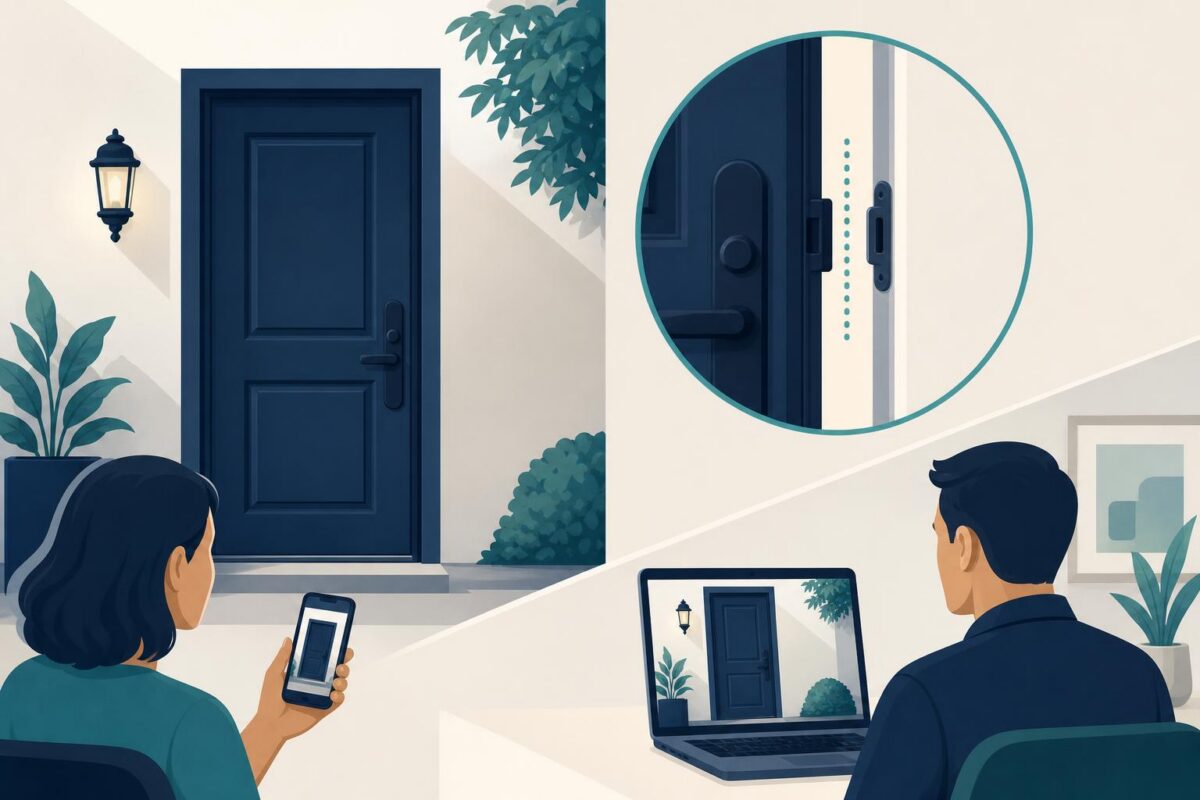
Smart lock support should not begin by assuming that an electronic setting explains a door that does not close properly. A lock operates inside a physical door, frame, and latch arrangement. If those parts do not meet correctly, software troubleshooting can consume a long call without addressing the underlying problem.
Viewabo can help the agent and authorized customer discuss the visible door condition. That shared view can separate a likely installation question from a controls question. It does not turn a support agent into a locksmith, establish ownership, or justify instructions for bypassing a lock.
Smart lock support starts with authorization and access
Use the company’s normal process to confirm that the person is authorized to receive support. Keep identity checks and sensitive access information in approved channels. Never ask the customer to expose passcodes, recovery details, or household access arrangements in a visual demonstration.
Then establish whether the customer is safely inside or outside, whether another exit remains available, and what ordinary action fails. A person locked out needs a different response from someone adjusting a newly installed interior-side control.
If immediate access or personal safety is at stake, direct the customer to the appropriate property manager, locksmith, or emergency service. Do not prolong the situation with exploratory troubleshooting.
Observe the door before touching the lock
Ask the customer to describe whether the door catches, rubs, or requires pressure to close. Where safe, a view of the door edge and frame can clarify the complaint. Avoid asking them to demonstrate a failure that might trap them outside.
Google’s Welcome to your new front door documents the familiar combination of connected controls and a physical door lock. That combination is the support challenge: a successful electronic command is not the same as a door that closes and secures normally.
Compare only accessible, visible conditions with the correct installation guide. A misaligned strike area, loose fitting, or damaged door needs appropriate professional assessment. The agent should not diagnose structural integrity from a picture.
Our independent Yale support analysis explores the installation handoff when the unresolved question concerns door fit.
Separate mechanical behavior from electronic response
Ask what the customer observes when using the documented normal controls. Does the device acknowledge the action? Does the door remain difficult to close? Does the issue occur only when the door is in a particular position? Record the observations without interpreting every sound as a specific internal failure.
The useful distinction is whether the complaint concerns the door’s movement, the lock’s normal operation, or the customer’s access credentials. Keep those branches separate. A controls reset cannot establish that a frame is aligned, and a door adjustment cannot resolve an account issue.
Smart lock support should explain this reasoning plainly. We need to understand whether the door fits normally before investigating the control sequence is clearer than a list of unexplained technical checks.
Follow documented user tasks only
Some checks may fall within ordinary owner maintenance for the identified model. Others require a locksmith or installer. Use the manufacturer’s boundaries rather than improvising a universal procedure across different locks.
Do not advise filing metal, defeating a latch, altering wiring, bypassing security controls, or forcing the mechanism. If the customer reports a damaged part, unexpected movement, or a lock that will not secure, stop treating the issue as a routine settings problem.
Before any permitted change that could affect access, confirm the approved recovery path. The customer should not lose their only working method of entry because the support script assumed another one existed.
Protect the customer’s security context
A visual support session should reveal only what the diagnosis needs. Keep keys, code entry, private schedules, and unrelated security equipment out of view. A close view of a nonsecret model label may be enough to select the correct documentation.
Explain the purpose of each requested view. Customers are more likely to cooperate when they understand that the agent needs to see how the door meets the frame, not inspect their home. If they prefer not to show an area, use another approved path or arrange local help.
When handing off, send a concise symptom description through the company’s established process. Avoid unnecessary images of entry details or speculation about vulnerabilities. The goal is a useful service request, not a catalog of the property’s security arrangements.
Verify ordinary use without a lockout test
A successful outcome should match the customer’s normal authorized use. Confirm that the door closes normally and that the documented locking and unlocking process works, while preserving safe access. Do not ask the customer to deliberately strand themselves outside to prove success.
If the concern is intermittent, record the specific conditions under which it occurs and establish a follow-up path. A single successful command does not certify future security. State any unresolved mechanical concern clearly.
Viewabo can help make a physical mismatch easier to understand before the next service decision. The general value of a shared view is explained in why video belongs in customer support. For smart lock support, the disciplined outcome is a clear diagnosis boundary, a safe next action, and verified ordinary access, not an improvised repair.